
Smart Home Wiring in Fort Pierce
Switches, cameras, and thermostats that work from the wall and the app, wired as one system — for homes in Fort Pierce ZIPs such as 34950 and 34949.
When you call, list the rooms that misbehave, before you buy any devices.
What smart home wiring means
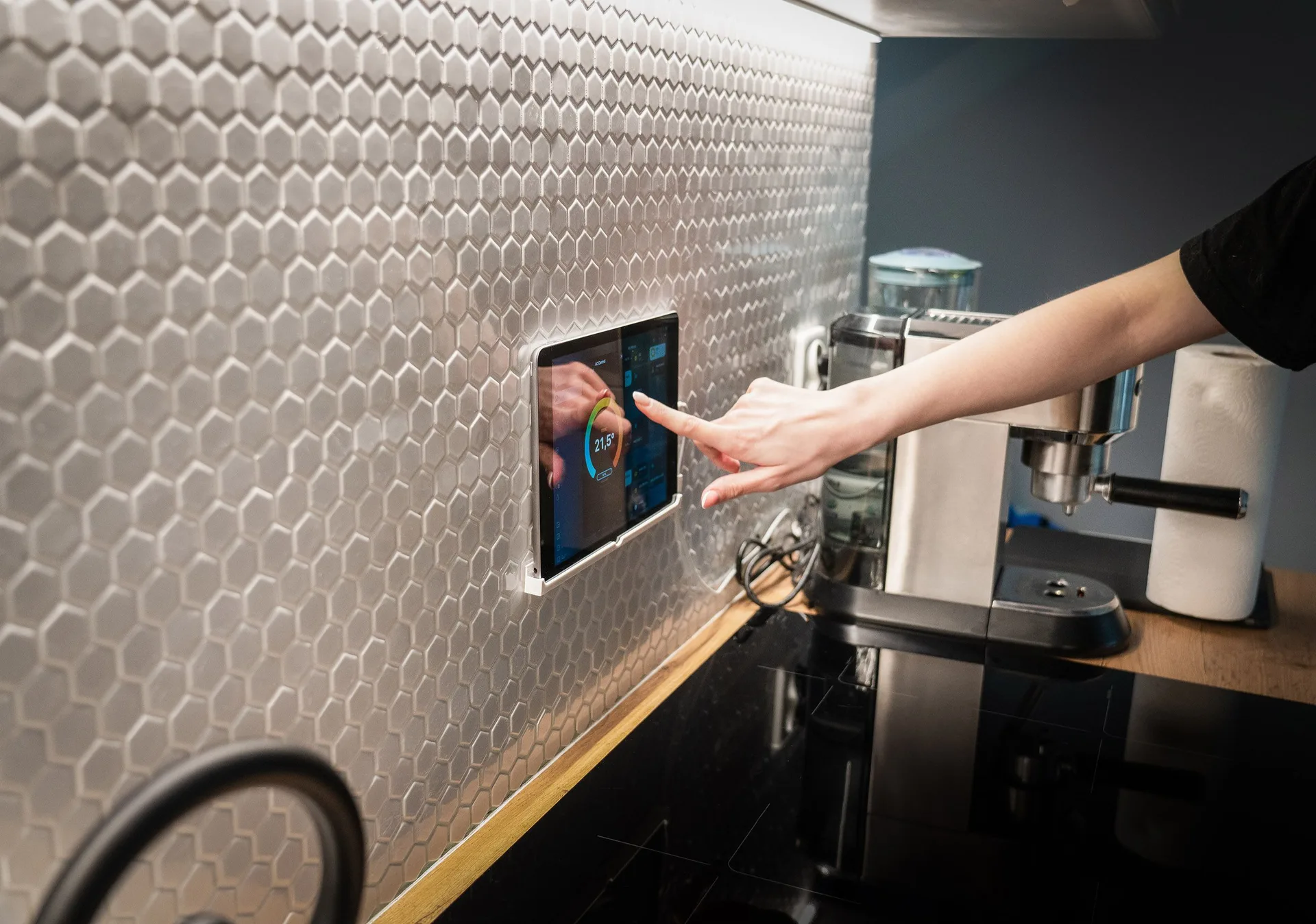
Smart home wiring means planning power and signal together before devices go on the wall. Smart switches need the right wires in the box, cameras need power where they actually sit, thermostats need the wire their old model never had, and Wi-Fi access points need a cable run, not a hope that the router signal reaches the far bedroom.
The most common surprise is the neutral wire: many smart switches need a neutral in the switch box to stay powered, and older boxes often lack one. A provider opens the box, checks what is actually there, and tells you which switches your wiring supports before you buy.
Smart home wiring here covers switch and dimmer wiring, smart panel work, thermostat wiring, data cabling, and home automation wiring, planned as one system rather than separate gadgets.
Signs you need it
- A smart switch you bought has nowhere to land a neutral wire in the box.
- Wi-Fi drops out at the far end of the house, no matter how many extenders you add.
- Cameras run on batteries you are tired of charging, and miss events while flat.
- A new thermostat needs a C-wire the old one never had.
- Devices work in the app but not from the wall switch — or the other way round.
- A new build is going up, and cable in the walls is still possible before the drywall closes.
- The router sits in a cupboard fighting through three walls to reach the rest of the house.
Your options, compared
| Option | What it covers | When it fits |
|---|---|---|
| Smart switch and dimmer wiring | Neutral fixes, three-way wiring and dimmer compatibility | You bought switches your boxes cannot yet support |
| New-build wiring | Cable, data runs and access point points placed before drywall | A home is under construction and walls are still open |
| Retrofit data cabling | Cat6 runs and Wi-Fi access point wiring in a finished home | Wi-Fi dies at the far end and extenders have failed |
| Thermostat and camera wiring | C-wire for thermostats, wired power for cameras and doorbells | Batteries and missing wires are the daily annoyance |
| Smart panel work | A panel that monitors circuits and talks to the home system | You want circuit-level control and monitoring |
What changes the cost
What moves the figure is how many drops and devices, and how hard the runs are. A new build with open walls keeps cable runs simple. Smart wiring in a finished home with plaster, tile and long runs to the far rooms takes more time per drop. Whether neutrals need pulling to switch boxes, and whether a panel change sits behind the smart panel work, also change the scope.
How the job runs, step by step
Diagram: smart home wiring layers
- List what you want working. Switches, cameras, thermostats, speakers, access points — room by room, including what already misbehaves today.
- Check boxes, panel and runs. The provider checks switch boxes for neutrals, panel capacity, and the practical routes for cable runs.
- Agree the plan and price. Ask which drops and devices come first, what the panel work includes, and for the written price before walls open.
- Wire, fit and test. Cable goes in, devices get fitted, and each one gets tested from the wall switch and from the app before handover.
Fort Pierce notes
Fort Pierce homes split into two smart-home stories. Newer homes often arrive with some data points but weak coverage at the far rooms, because one router position rarely serves a whole house. Older homes often lack neutrals in switch boxes and have no cable routes at all, so the plan starts with what the boxes actually contain rather than what a catalog promises.
Which utility serves an address must be checked by address: Fort Pierce Utilities Authority (FPUA) serves much of the city, and Florida Power & Light (FPL) serves much of the area outside it. Storm season adds one more reason to wire rather than rely on batteries: wired cameras and access points keep working through the outages and power flickers that flatten battery devices.
What to agree before you buy any devices
Agree the wiring plan before you buy any devices: the boxes, the panel, and the cable routes decide which devices your home can actually support. A houseful of switches bought first often includes several the wiring cannot fit, and a camera bought first often ends up on a battery because no power point was planned where it sits.
Each switch box gets checked for a neutral wire, and each thermostat position for a C-wire, before devices are ordered. Wi-Fi gets planned as wired access points fed by cable, cameras and doorbells get wired power where they sit, and lights and locks keep working from the wall when the internet drops.
- Ask for a room-by-room device list tied to what each box and panel actually contains, before ordering anything.
- Ask where wired access points will sit, and which rooms will still rely on the router alone.
- Ask whether each device works from the wall when the internet drops, and which ones do not.
- Ask for surge protection for the electronics the system serves, since smart gear is exactly what a spike damages first.
How to choose a provider
Use this short checklist before you agree to any work:
- Ask whether they open switch boxes and check for neutrals before recommending switches.
- Ask for a written price split by drops, devices and panel work, so you can trim room by room.
- Ask whether each device gets tested from the wall switch and from the app, not just one of the two.
- Ask what happens when the internet drops — do lights and locks still work from the wall?
- Ask whether cable routes avoid the need for visible trunking across finished rooms.
Switches or Wi-Fi misbehaving? Call now and list the rooms that misbehave.
Related services and areas
A smart home electrician in Fort Pierce — sometimes called a home automation electrician — plans the system room by room, and smart panel installation in Fort Pierce starts with a panel check, not with a device order. Smart wiring often sits beside panel upgrade work when capacity or a smart panel is involved, and whole-house surge protection for the electronics it serves. For wired doorbells and intercoms see doorbell and intercom installation. For the data-cabling side in depth, read the blog post on data and low-voltage cabling.
Smart home wiring reaches homes across Fort Pierce. Tell us your town or ZIP when you call, and list the rooms that misbehave today.
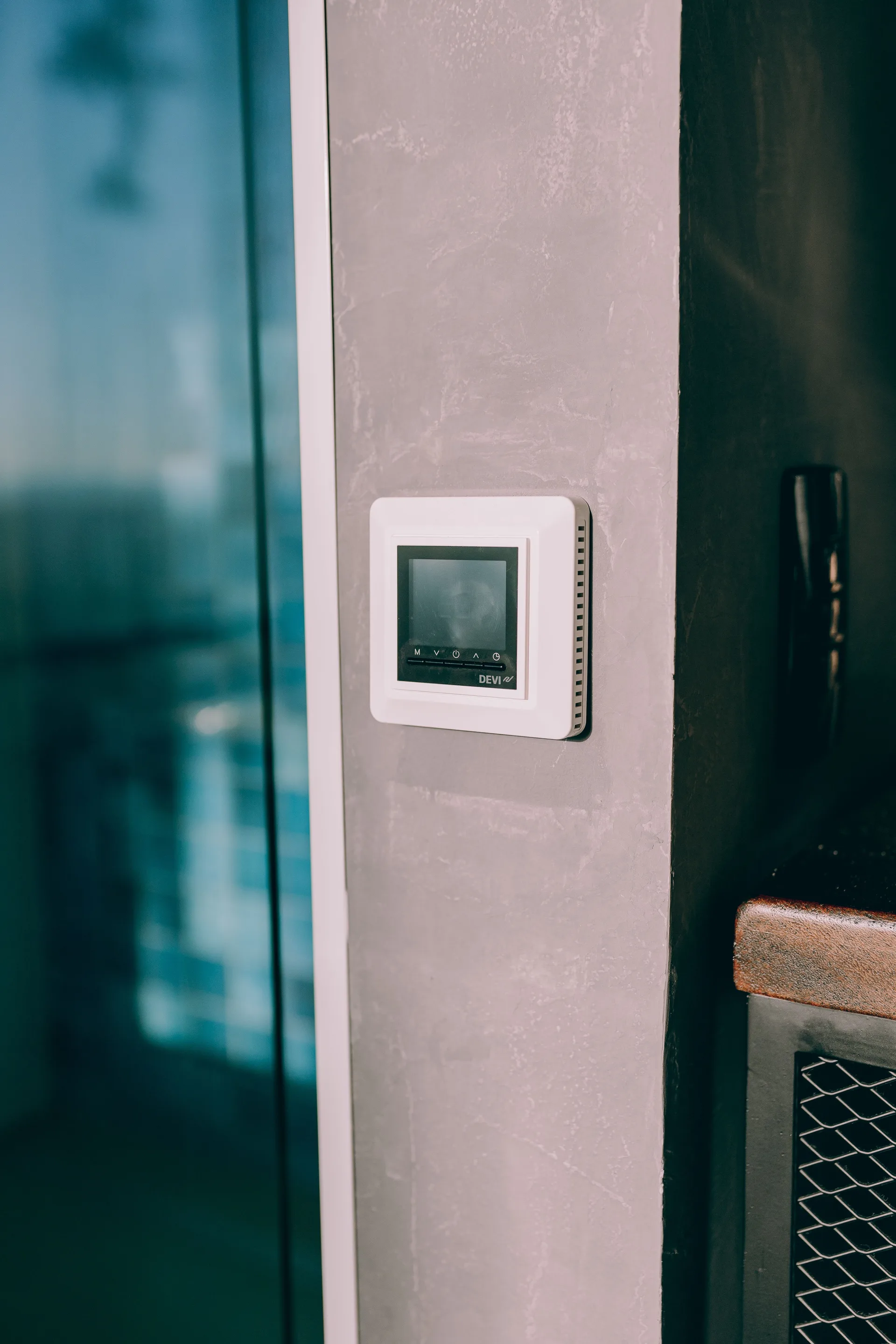
A smart thermostat is a good example of why wiring matters: some models need a wire the old thermostat never had.
Structured wiring first, gadgets second
Structured wiring is the cable in the walls that everything else depends on. During a remodel or new build, run Ethernet cable, typically CAT6 or CAT7, plus coaxial cable for television and antenna feeds, to every room that might ever need a screen, camera, access point, or speaker — walls already open make this straightforward. For the data-cabling detail, read the data and low-voltage cabling guide.
Automation options then compare cleanly once the wiring exists: smart lighting needs the right wires in the switch box plus wall control as well as app control, motorized shades need power at the window, and multi-room audio needs speaker cable run to each room.
Sensitive equipment needs protection planned alongside it: dedicated circuits keep always-on gear off shared, noisy runs, a panel surge device guards the whole system, and point-of-use protection adds a second layer for the most sensitive items.
Frequently asked questions: smart home wiring in Fort Pierce, FL
What wiring does a smart home need?
It needs three things planned together: power circuits that can carry the new loads, the right wires in each switch box, and data runs for access points, cameras and fixed devices. Power alone leaves Wi-Fi dead at the far rooms. Data alone leaves smart switches without a neutral. A provider plans all three as one system, room by room, so the gadgets you buy later actually have something to connect to.
Do smart switches need a neutral wire?
Many do, and some do not — which is why the box must be checked before you buy. A neutral gives the switch its own steady power so it can stay connected while the light is off. Older boxes often lack one. Where a neutral is missing, the fix is either pulling one to the box or choosing a switch designed to work without it. Either answer beats buying a box of switches that cannot be fitted.
What is a smart electrical panel?
A smart panel is a breaker panel that monitors individual circuits and reports them to an app, so you can see what each circuit uses and switch some circuits remotely. It still does the basic panel job — protecting circuits — and adds monitoring and control on top. Whether it suits your home depends on your panel's age and condition, so a panel check comes before any smart panel recommendation.
Can I add smart devices to an older home?
Yes, with a plan that starts from what the home already has. Older homes often lack neutrals and cable routes, so the first visit maps the boxes and the practical runs. Some rooms may need a neutral pulled; others may suit no-neutral switches. The result is a room-by-room plan rather than a single answer for the whole house, and it avoids buying devices the wiring cannot support.
Why does my Wi-Fi die at the far end of the house?
Because one router rarely covers a whole house through several walls, and extenders repeat a weak signal rather than fixing it. A wired access point at the far end gives that part of the house its own strong signal fed by cable. That is a data-cabling job: a Cat6 run from the router position to the far room, with the access point mounted where it actually serves people.
Do my lights still work if the internet goes down?
They should, if the plan was done right. A smart switch still works as a wall switch when the internet drops — you lose app control and voice control, but not the light itself. If a device stops working entirely without the internet, ask why before accepting it. Wall-switch function is the fallback that matters most, and it should never depend on a cloud connection.
Is it better to wire during a remodel or after?
During, whenever you can. Open walls make cable runs simple and cheap, and you can place access points, camera power and switch wiring exactly where they serve best. After the walls close, the same runs take longer and may need visible trunking. If a remodel is already planned, get the smart wiring plan into it before the drywall goes up.
What should I get in writing at handover?
A labeled patch panel and a written device list, room by room, so the next person who works on the system knows what is where. Each device should be tested from the wall switch and from the app, and any device that only works one way should be flagged before handover. Ask what still needs a neutral or cable run, so the finished job does not hide an unfinished room.
Need an electrician in Fort Pierce? Call now and describe the problem.